 sherom
Direct answer
Sherom is a web software option for motorcycle workshops and parts stores in Chile. Manage products, counter sales and repair work orders separately while AI customer service uses your recorded catalog. Choose Chile to operate in CLP; review payment and tax-invoicing scope below.
TRY ONE WORKFLOW FIRST
Parts and repairs in the same business.
In-stock parts, special orders and approved work in Chilean pesos.
- 30-day trial from activation
- No card
- Your own number is optional
Immediate access at sign-up. 30 days without a card, followed by a free option with up to 10 work orders a month. Sherom subscription pricing is published in USD; it is separate from your sales currency.
EXPLORE THE WORKFLOW
From a parts inquiry to approved work
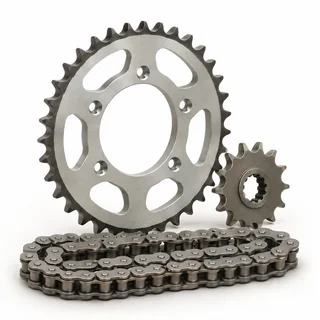 Drive kitCLP 9.000
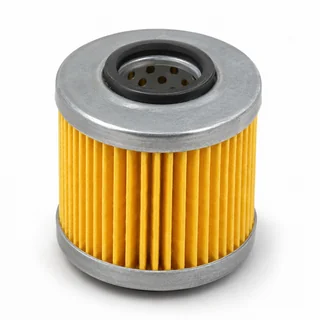 Oil filterSet your price
 Install / adjustTo be quoted
Fictional data explaining the workflow. This example sends no messages, creates no work orders and processes no payments.
Find the setup for your country
Review operating currency, a practical scenario and tax-invoicing scope.
A scenario to try with your business
A repair depends on a part that must be ordered from a supplier.
- Separate confirmed stock from supplier orders. A catalog suggestion does not prove physical availability.
- Quote parts and labor in CLP and agree on timing before committing to the job. Confirm reference or price changes with the customer.
- Keep the conversation and job related so the team can see approvals and pending items. Use your usual tax system for the applicable receipt or invoice.
What to record in a sale versus a repair
- Product: oil, filters or a kit you sell or use. When tracking stock, record purchases and review movements.
- Service: an oil change, adjustment or installation. It has labor and scope rather than part-like stock.
- Use counter sales for parts and work orders when taking in a motorcycle. Both workflows use the same catalog.
Currency, payments and SII
Sherom manages operations in CLP, but does not provide integrated tax issuance with SII. Keep your existing tax-invoicing system; work orders, quotes and payment records do not replace tax documents.
- The operating currency is CLP. Imported amounts are not automatically converted from another currency: check prices, costs and balances before use.
- Configure your transfer details or a supported gateway with an eligible business account. Approval, fees and available methods depend on the provider; not every Stripe or Mercado Pago account works in every country.
Start with five items rather than the whole store
- Choose your country and activity at sign-up; review the preselected values.
- Review motorcycle catalog suggestions. Activate only what you offer and set your own prices.
- Test the assistant with a realistic inquiry. Your team handles missing prices, fitment or confirmed stock.
PUT IT TO WORK
Check the workflow before sharing your link
- Start with Sherom’s shared WhatsApp and your business link. Connecting your own number is optional and subject to eligibility and setup.
- The registered phone initially receives business-configuration access on WhatsApp. Customer inquiries cannot edit your catalog.
- You can also work in a phone or computer browser. AI, messaging and storage have allowances.
Frequently asked questions
Can I operate in CLP?
Yes. Select Chile in your business settings. Check the currency before entering prices; changing the country does not convert existing amounts.
Does Sherom issue SII tax documents?
Sherom manages operations in CLP, but does not provide integrated tax issuance with SII. Keep your existing tax-invoicing system; work orders, quotes and payment records do not replace tax documents.
Can I sell parts and repair motorcycles?
Yes. Separate products and services and use counter sales or work orders as appropriate. Your team confirms technical fitment.
Sources and scope
Sherom publishes this guide. Product descriptions refer to Sherom; external requirements and providers may change. Check the original sources before making a decision.
SII: official tax-document information ↗